On this page21 sections
- What Is a Learning Management System?
- How Do Learning Management Systems Work Step by Step?
- 1. Instructors Build the Course Structure
- 2. The LMS Gives Each User the Right Role
- 3. Learners Enroll and Receive Course Access
- 4. The LMS Delivers the Learning Experience
- 5. The LMS Records Learner Activity
- 6. Assessments Check What Learners Understand
- 7. Assessment Results Can Become Grades
- 8. Progress Tracking Shows What Happens Next
- 9. Completion Rules Decide When the Course Is Finished
- 10. The LMS Can Issue Certificates After Completion
- 11. Reporting Turns Activity Into Usable Information
- 12. Integrations Connect the LMS With Other Systems
- What Happens Behind the Scenes When a Learner Uses an LMS?
- How Does a Cloud-Based LMS Work?
- How Does an LMS Work for Students, Teachers, and Administrators?
- How Is an LMS Different From a Website or Shared Drive?
- How Is an LMS Different From an SIS?
- What Should You Check Before Choosing an LMS?
- The Practical Way to Understand How an LMS Works
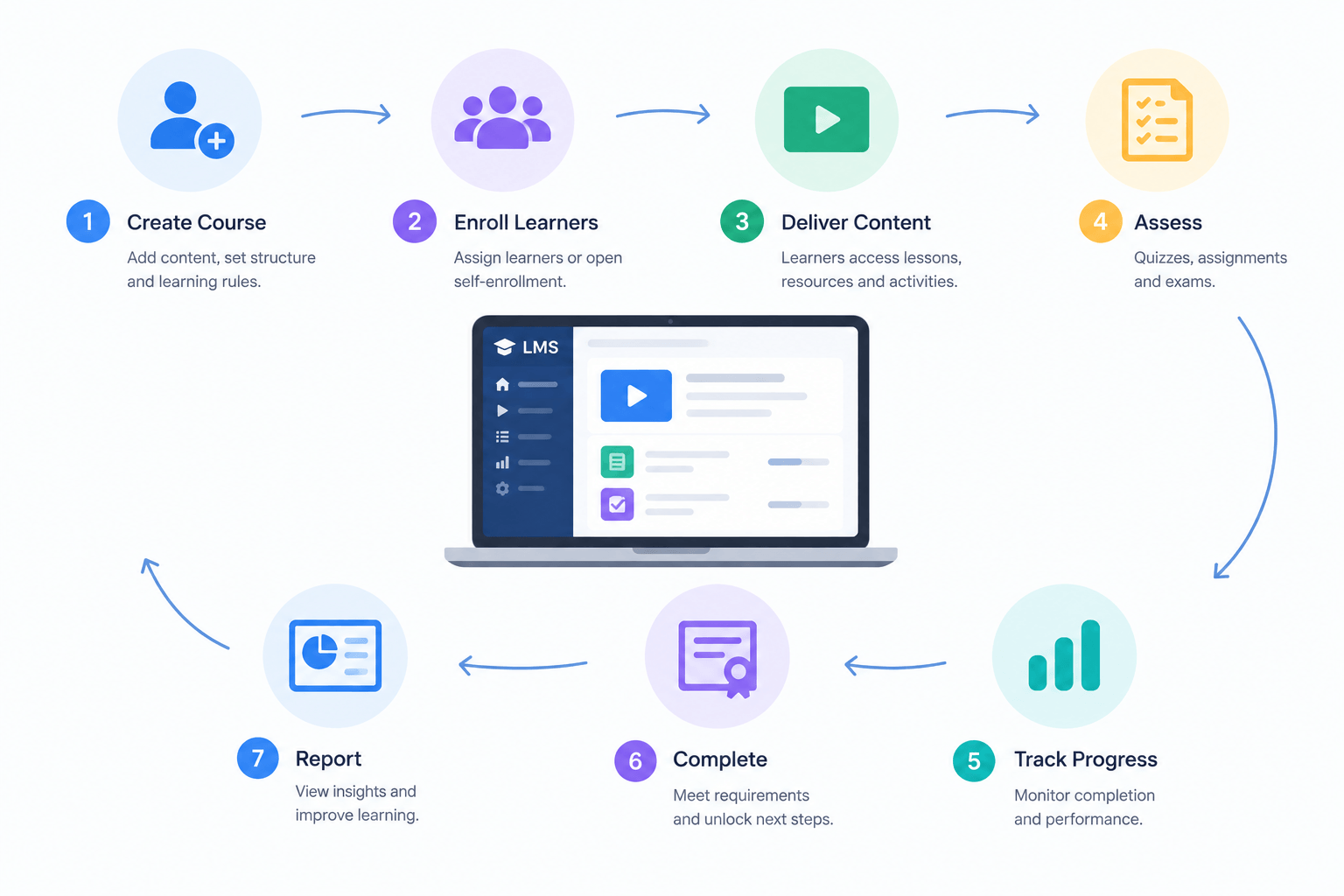
Learning management systems work by bringing course content, users, access rules, assessments, progress tracking, and reporting into one connected platform. An instructor creates a course, learners are enrolled, the LMS delivers the right content, records activity, stores assessment results, and updates progress. Administrators then use those records to manage learning and improve delivery.
What Is a Learning Management System?
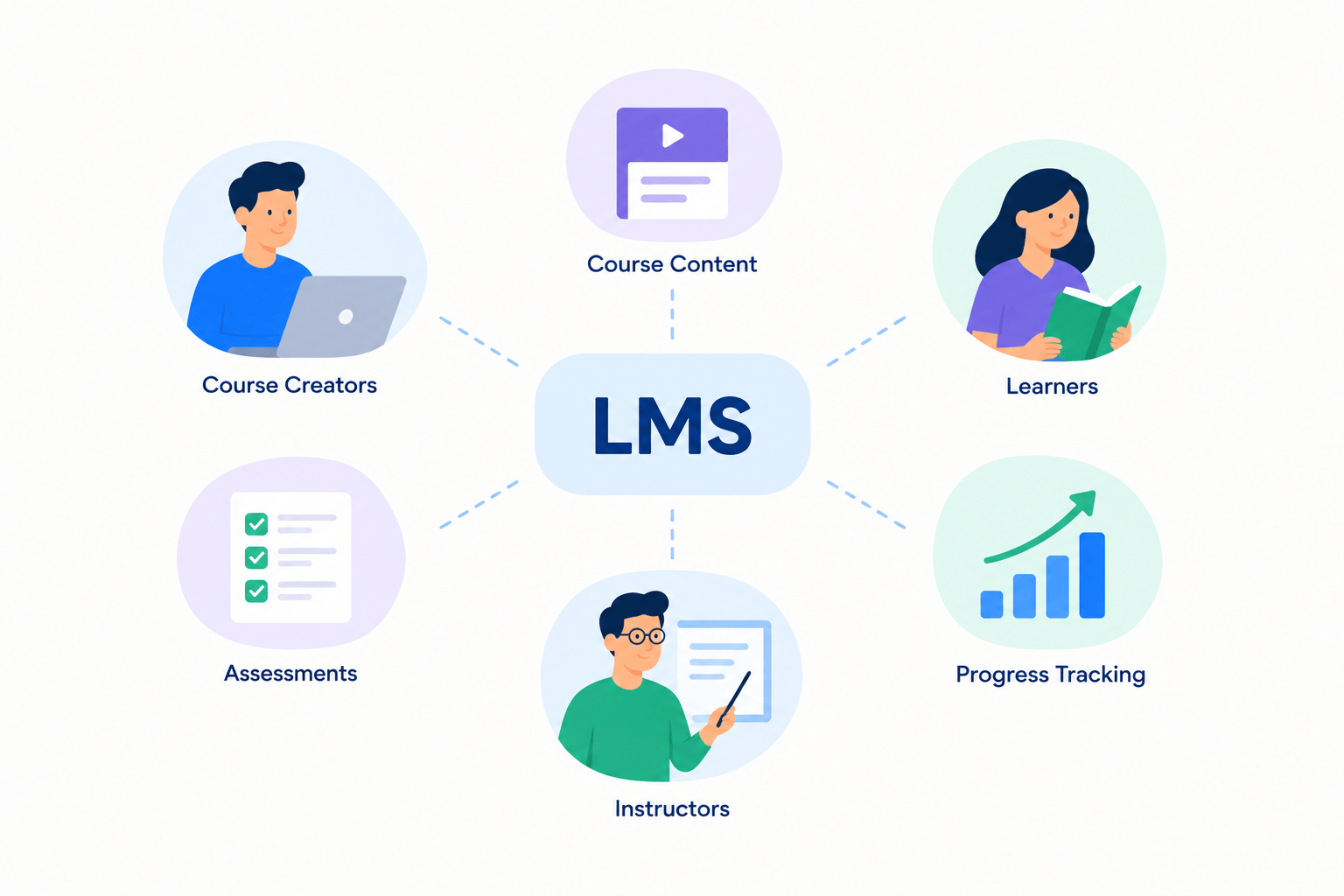
A Learning Management System, or LMS, is software for creating, delivering, managing, and tracking structured education or training. It connects learners and instructors with courses, learning activities, assessments, progress records, and administrative controls.
The important word is management. A website or shared drive can store course materials, but an LMS also manages who can access them, what learners should complete, how progress is recorded, and what happens after a requirement is met.
Our guide to what an LMS means covers the broader definition, benefits, types and uses. This piece is about the workflow happening inside one. For a shorter, less technical overview, read how an LMS works instead.
How Do Learning Management Systems Work Step by Step?
An LMS works through a connected cycle: create → enroll → deliver → assess → track → complete → report. Each stage produces information the platform uses in the next stage, turning separate teaching tasks into one structured learning process.
| Stage | What happens | What the LMS manages |
|---|---|---|
| Course creation | Instructors build the program | Lessons, resources, structure |
| User setup | People receive accounts and roles | Permissions and identity |
| Enrollment | Learners join a program | Access and eligibility |
| Learning delivery | Learners study course material | Content and sequencing |
| Assessment | Learners complete tests or tasks | Attempts, scores, feedback |
| Progress tracking | Activity is recorded | Completion status and grades |
| Completion | Requirements are met | Final status and certificates |
| Reporting | Results are reviewed | Learner and course records |
1. Instructors Build the Course Structure
The LMS process normally begins with course creation. An instructor or administrator organizes the learning experience into courses, sections, lessons, activities, or programs instead of presenting learners with an unrelated collection of files.
Course content may include text, video, audio, PDFs, downloadable resources, live sessions, quizzes, or assignments. The exact content types vary by LMS, but the purpose is the same: give learners a clear sequence to follow.
A six-week course, for example, might contain six sections. Each section could include a lesson, supporting resources, a practical task, and an assessment before learners continue to the next stage.
Edushade documents courses containing lessons, quizzes, assignments, files, and different lesson formats. It also supports learning paths that group courses and cohorts that run programs on a schedule.
2. The LMS Gives Each User the Right Role
Learning management systems work differently for different users. A learner needs access to study and submit work, while an instructor needs teaching and assessment controls. Administrators usually need broader access to settings, people, programs, and reports.
The relationship can be simplified like this:
- Learner → studies and completes learning activities
- Instructor → teaches, assesses, and supports learners
- Administrator → manages the wider learning environment
Role-based access matters because not every user should be able to change courses, view private records, or edit platform settings. The LMS uses account permissions to decide which actions and information are available to each person.
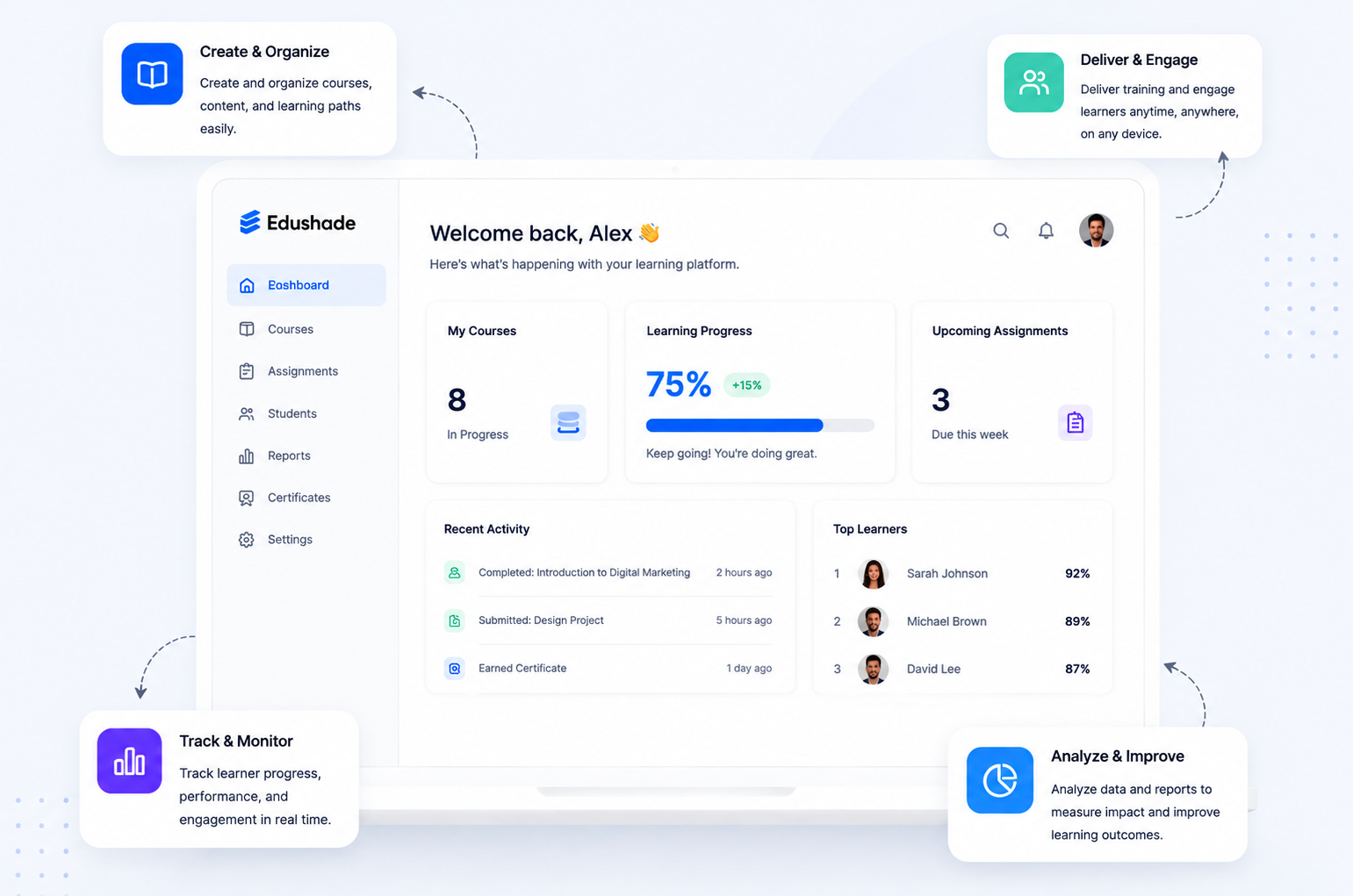
Edushade separates platform activity across the student panel, the educator panel and the admin panel, with role permissions deciding what each account can reach.
3. Learners Enroll and Receive Course Access
Enrollment connects a learner with the course, learning path, or cohort they are supposed to study. Depending on the LMS, enrollment may happen through self-registration, an invitation, an administrator, a purchase, or another connected system.
Enrollment and access are related but different. Enrollment establishes that a learner has joined a program. Access rules then determine what that learner is allowed to see and when particular content becomes available.
An LMS may use prerequisites, scheduled releases, eligibility rules, or partial access to control the learning sequence. This prevents learners from receiving every resource at once when the course requires a particular order.
Edushade documents self-enrollment, administrator enrollment, drip scheduling, prerequisites, eligibility rules and partial access as separate controls within its enrollment workflow.
4. The LMS Delivers the Learning Experience
After enrollment, the learner enters the course and works through the activities available to them. The LMS presents the appropriate lessons, resources, assessments, and scheduled activities based on the course setup and the learner’s access.
The learning model does not have to be completely online or self-paced. A learning management system can support different combinations of independent learning, scheduled instruction, and group-based programs if the platform provides the required tools.
How Does an LMS Support Self-Paced Learning?
A self-paced LMS course allows learners to work through material according to their own schedule. Recorded lessons, readings, exercises, and assessments can remain available while progress rules guide learners through the course.
The LMS still provides structure. It can show what has been completed, what remains, and which activities must be finished before the learner moves forward.
How Does an LMS Support Blended Learning?
Blended learning combines independent digital learning with instructor-led activities. The LMS can act as the central place for resources, lesson preparation, assignments, assessments, and records around those scheduled sessions.
Edushade’s course documentation includes video, audio, text, PDF lessons, live sessions, quizzes, assignments, learning paths and cohorts.
5. The LMS Records Learner Activity
One of the main differences between an LMS and simple content hosting is tracking. The system can associate learning activity with an individual learner instead of only displaying the same content to everyone.
A basic relationship looks like this:
Learner → activity → completion rule → progress record
When the learner completes whatever the course defines as required, the LMS updates the relevant activity or course status.
Edushade documents three activity states — not started, in progress and completed. It can track progress across lessons, quizzes and assignments, and roll eligible completed activities into overall course progress.
6. Assessments Check What Learners Understand
An LMS can connect assessments directly to the learning program. Learners may complete quizzes, exams, assignments, written work, file submissions, or other tasks, depending on the platform and the way the course has been designed.
Some assessment questions can be marked automatically because the system already knows the correct response. Essays, projects, demonstrations, and other subjective work normally require an instructor or assessor to review them.
Edushade documents quizzes, assignments, exams, several question formats, attempt controls, automatic grading, manual grading and assessment analytics.
The technology does not decide which assessment is educationally appropriate. A multiple-choice quiz may be useful for checking factual knowledge, while a project or instructor-reviewed task may provide better evidence of applied skills.
7. Assessment Results Can Become Grades
Once assessment results exist, an LMS can connect them to the learner and course. Depending on the platform, individual assessment scores may remain separate or contribute toward a calculated course grade.
A university course might use weighted assessments in which a final exam contributes more than a weekly quiz. A short training course might simply require a passing score. The grading model should reflect the learning program rather than software defaults.
Edushade’s progress and grading documentation includes completion rules, weighted grading, grading schemes, marksheets and GPA-related functionality — surfaced for educators as learner analytics and cohort insights.
Not every organization needs complex academic grading. Course creators and training businesses should avoid adding complicated grading systems when a simpler pass/fail or completion model communicates the result more clearly.
8. Progress Tracking Shows What Happens Next
Progress tracking helps learners understand where they are in a course and helps instructors see who may need attention. The system can connect completed lessons and assessments with each learner’s overall course status.
For learners, progress might appear as completed activities or a progress bar. For instructors, the same records may help reveal incomplete work, stalled learners, assessment problems, or groups that require more support.
The important relationship is:
Learning activity → recorded status → course progress → instructor action
Progress information becomes valuable only when someone uses it. An instructor may follow up with an inactive learner, provide additional feedback, revise a difficult lesson, or offer extra support.
9. Completion Rules Decide When the Course Is Finished
An LMS does not have to define course completion as simply reaching the final page. Administrators or instructors can use completion rules to specify what learners must actually do before the program is considered finished.
A course might require learners to complete every required lesson, submit an assignment, pass a quiz, finish a final assessment, or satisfy another defined condition. The appropriate rule depends on the purpose of the program.
Clear completion rules matter because other LMS actions can depend on them. Completion may affect reports, access to another course, certificate eligibility, or the learner’s overall program status.
Edushade allows academy operators to define what counts as completed for learning activities and then rolls those results into course progress.
10. The LMS Can Issue Certificates After Completion
Certificates can form the final stage of a learning workflow when the provider wants to give learners evidence of successful completion. The LMS connects the credential with the learner and the requirements used to earn it.
Edushade documents verifiable digital certificates for courses and learning paths. Its certificate system includes configurable requirements, certificate numbers, verification codes, completion information, and automatic or manual issuing.
A course certificate should not automatically be described as academic credit, professional accreditation, or a government license. Those claims require recognition from the appropriate external institution or authority.
11. Reporting Turns Activity Into Usable Information
LMS reporting helps instructors and administrators review what has happened across learners and courses. Reports may include completion, assessment results, grades, progress, participation, or other recorded activity, depending on the platform.
Good reporting starts with a question. “Which learners have not completed the course?” is more useful than collecting dozens of metrics simply because they are available.
A training business might review completion before issuing credentials. An instructor may examine assessment performance to identify a difficult topic. An academy could use completion reports to decide who needs additional support.
The LMS stores and organizes the evidence, but educators still need to interpret that evidence and decide what action makes sense.
12. Integrations Connect the LMS With Other Systems
A learning management system does not always perform every learning or administrative task itself. Schools, universities, academies, and businesses may connect their LMS with external content, video, identity, assessment, or institutional systems.
Learning Tools Interoperability (LTI) is an education technology standard from 1EdTech designed to connect learning platforms with external learning tools and content in a standardized way. Edushade documents what each of its integrations exchanges.
Integration support varies considerably between LMS products. Buyers should confirm which integrations or standards are supported, which versions are implemented, what data is exchanged, and whether those capabilities are available on their required plan.
What Happens Behind the Scenes When a Learner Uses an LMS?
Behind the interface, an LMS continually connects the learner’s identity with permissions, course rules, content, and stored records. Each relevant learner action can change what the system records or what becomes available next.
A typical sequence looks like this:
- The learner signs in. The system identifies the account.
- The learner opens a course. Enrollment and access are checked.
- A lesson is completed. Its status is updated.
- An assessment is submitted. The result is recorded after grading.
- Course requirements are met. Overall progress changes.
- Completion is reached. The final status is recorded.
- The next configured action occurs. This might include certificate eligibility or access to another activity.
The simplest model is action → rule → record → next action. That relationship explains how an LMS turns separate teaching activities into a manageable learning process.
How Does a Cloud-Based LMS Work?
A cloud-based LMS is hosted as an online service and accessed through the internet. The provider operates the hosted application, while the customer configures users, courses, access, learning activities, and other platform settings.
For teachers and learners, the daily workflow remains familiar: sign in, open the correct course, complete or manage activities, and review results. The main difference concerns who operates the underlying deployment and infrastructure.
A self-hosted LMS gives an organization more direct responsibility for deployment, maintenance, updates, security configuration, and technical administration. That can provide greater control but also requires suitable technical resources.
Neither model is automatically better. The right choice depends on internal expertise, security needs, customization requirements, procurement rules, budget, support expectations, and the amount of technical responsibility the organization wants to manage.
How Does an LMS Work for Students, Teachers, and Administrators?
An LMS presents a different workflow to each user because each role has different responsibilities. The learner studies, the instructor teaches and evaluates, while administrators manage the system surrounding both.
| User | Typical LMS responsibilities |
|---|---|
| Learner | Access courses, complete lessons, submit work, review progress |
| Instructor | Build learning, assess work, provide feedback, monitor learners |
| Administrator | Manage users, access, programs, settings, and reports |
These roles are connected through shared records. When a learner submits an assignment, the instructor can review it. Once it is graded, the learner can receive the result and relevant reports can reflect the updated record.
How Is an LMS Different From a Website or Shared Drive?
A website or cloud drive can distribute educational content, but an LMS manages the relationship between the content and the learner. It knows who is enrolled, what the learner can access, what they have completed, and which requirements remain.
A typical learning management system adds:
- User accounts and roles
- Enrollment
- Course structure
- Access controls
- Learning sequences
- Assessments
- Feedback and grading
- Progress tracking
- Completion rules
- Reporting
That management layer is what makes an LMS more than a content repository. The system connects people + learning + rules + records.
How Is an LMS Different From an SIS?
An LMS focuses primarily on teaching and learning activities. A Student Information System, or SIS, usually focuses on broader student administration and institutional records.
An LMS may manage lessons, assessments, progress, and course completion. An SIS may manage areas such as official enrollment records and wider institutional administration. Universities and schools may use both and connect them where appropriate.
The categories can overlap because software products differ. Organizations should compare actual workflows and integrations instead of assuming that every product described as an LMS or SIS covers identical functions.
What Should You Check Before Choosing an LMS?
Choose an LMS by testing how well it supports your real learning process. A platform with hundreds of features can still be the wrong system if learners, instructors, or administrators struggle to complete everyday tasks.
Ask:
- Who will use the LMS?
- How will learners enroll?
- Is learning self-paced, live, blended, or cohort-based?
- Are prerequisites or scheduled content needed?
- How will learners be assessed?
- What should count as completion?
- Which progress information matters?
- Are certificates required?
- Which systems must integrate with the LMS?
- What reporting is actually useful?
- What privacy and security requirements apply?
- What accessibility requirements need to be met?
Accessibility should be evaluated directly. W3C’s Web Content Accessibility Guidelines (WCAG) 2.2 provide testable recommendations for making web content more accessible to people with disabilities, and W3C encourages use of the current WCAG version for accessibility work.
The Practical Way to Understand How an LMS Works
A learning management system turns teaching into a connected process: create, enroll, deliver, assess, track, complete, and report. The software manages the links between those stages, while educators remain responsible for the quality of the learning itself.
The best next step is to map one real course from enrollment to completion. Write down what learners, instructors, and administrators need to do at every stage, then test potential LMS software using those exact tasks.
Edushade is one example of this connected model, with documented workflows for courses, learning paths, cohorts, enrollment, assessments, progress, grading and certificates.