
Run your course as,a scheduled batch
A cohort is a time-bound run of a course or learning path — with start and end dates, live class days, capped seats and its own drip schedule. Same content, scheduled rhythm.
Built for batches that start and end together
Edushade keeps cohorts as a first-class entity, not a tag on top of a course. Each cohort carries its own dates, schedule, seat count, drip rules and instructor roster — so you can run the same course back-to-back without copying it.
Time-Bound Batches
Set a start date, end date and a max enrollment cap. Edushade shows seats remaining and days-left in real time.
Live Class Schedule
Pick days of the week and start and end times. Use a weekly, biweekly, monthly or custom cadence.
Cohort-Specific Drip
Layer drip schedules on top of the bound course or learning path so each batch can release content at its own pace.
Late Enrollment Control
Toggle late enrollment on or off, and open or close a cohort independently from the underlying course.
Multi-Instructor Roster
Assign instructors, co-instructors and assistants to a single cohort without affecting the parent course.
Cohort Completion
When learners finish the bound course or path, certificates issue automatically with the cohort's grade and timing in the snapshot.
A schedule that makes a batch feel like a programme
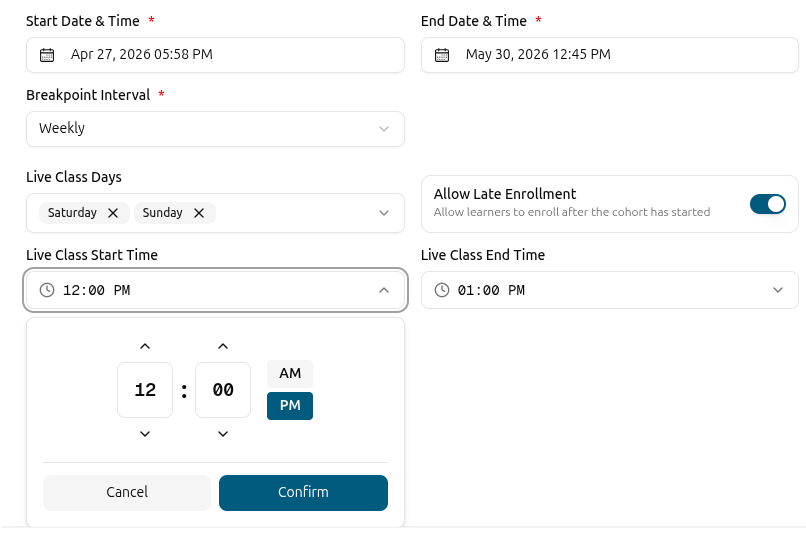
Every cohort carries its own dates and rhythm. Start and end dates anchor the batch, live class days and times define the weekly meet-up, and a time-unit setting handles whether you run weekly, biweekly, monthly or on a custom cadence. Days-left and remaining seats are computed and shown live.
Start date and end date with days-left countdown
Live class days of the week, start and end time
Time unit: weekly, biweekly, monthly, custom or none
Computed duration in hours that reflects the live schedule
Watch your seats fill — and decide who can still join
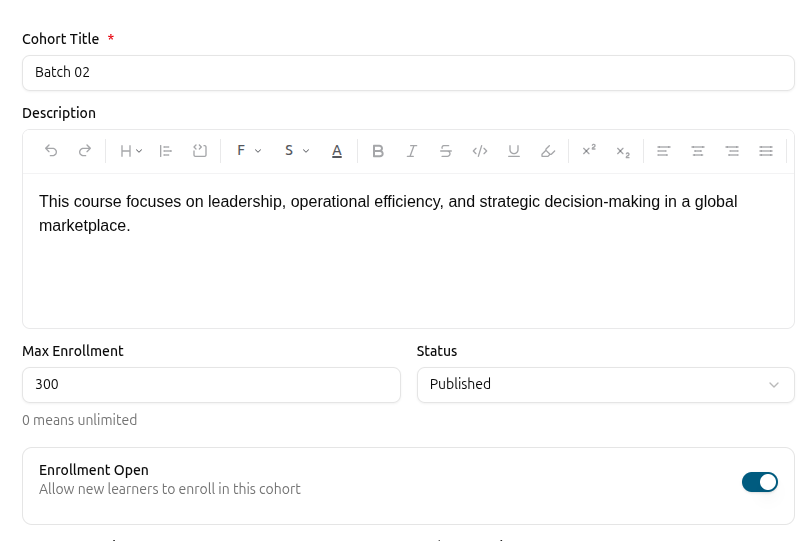
Set a maximum enrollment cap and Edushade tracks seats remaining in real time. Late-enrollment and enrollment-open toggles let you decide whether the door stays open after the cohort starts, or whether registrations close on a fixed date — independently from the bound course.
Maximum enrollment cap with live seats-remaining counter
Enrollment open and late-enrollment toggles per cohort
Cohort-enrollment-opened and cohort-starting-soon notifications
Total learner count and computed duration shown alongside seats
Drip and access, scoped to this cohort
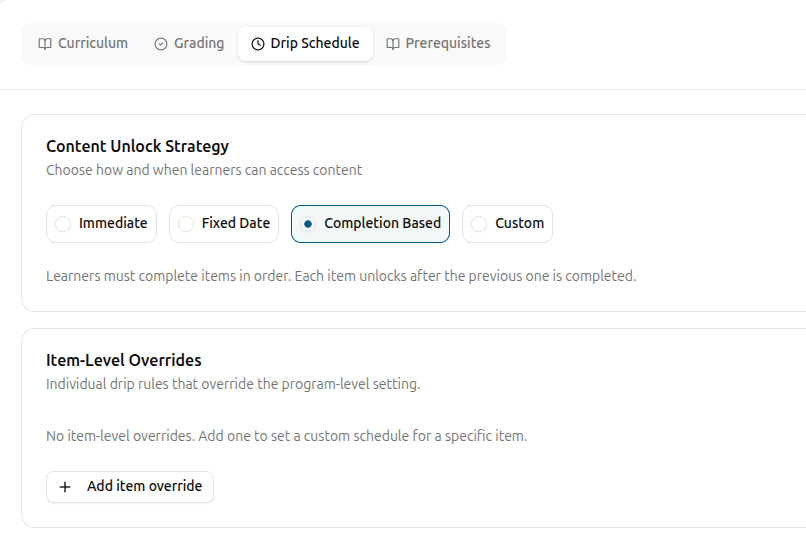
Cohorts get their own drip schedules and access rules. The bound course or learning path stays as the source of truth for content, while each cohort decides when each section, lesson, assignment, quiz or file unlocks for this specific batch.
Drip schedule binds to the cohort, not just the course
Targets sections, lessons, assignments, quizzes and files
Same five unlock modes and four lock modes as courses
Per-cohort access rules control who in the batch sees what
Instructors, notifications and a clean handover
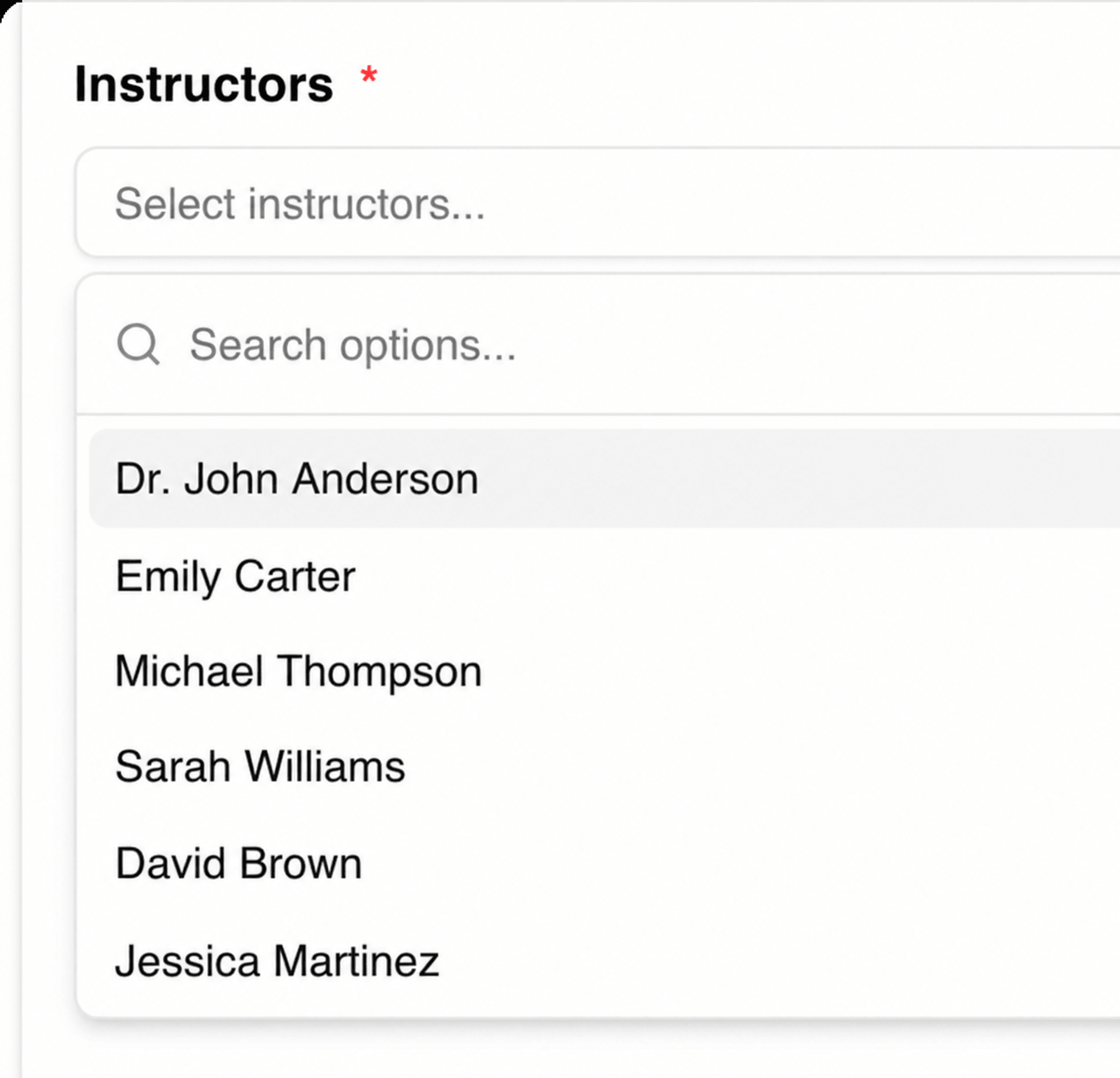
Add an instructor roster that's specific to this cohort — instructor, co-instructor and assistant roles all carry over. Cohort-specific notifications fire when enrollment opens and when the batch is starting soon, so learners and your team stay synced without manual reminders.
Per-cohort instructor, co-instructor and assistant roles
Featured instructor highlighted on the cohort page
Automatic cohort-enrollment-opened and starting-soon alerts
CSV export of the full cohort with all batch metadata
Open a cohort in three steps
Pick the course or learning path, set the dates and schedule, decide on seats — and the cohort is ready to take enrollments.
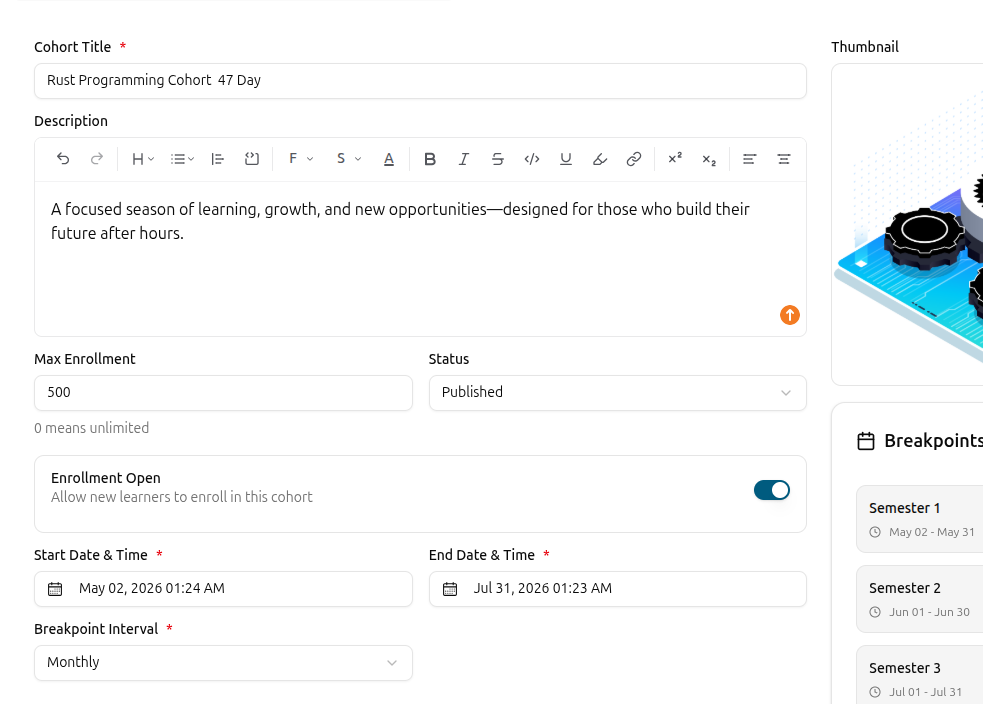
Create the cohort and bind a programme
Add a title, description and thumbnail, then bind the cohort to a published course or learning path. The cohort inherits the curriculum from there.
Set dates, live class days and seats
Pick start and end dates, live class days of the week and times, the time-unit cadence, and a max enrollment cap. Layer drip rules where you want gating between items.
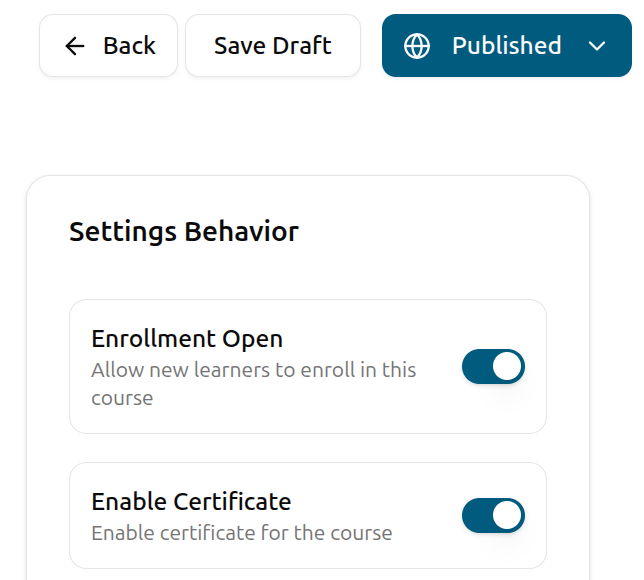
Open enrollment
Flip enrollment open and decide whether to allow late joiners. Edushade fires the cohort-enrollment-opened notification and the seats start filling.
Cohorts FAQ
Specifics about how cohorts, schedules, seats, drip rules and instructors work as a batch run of a course or learning path.
Can't find what you're looking for?
Contact Sales

Start Building Learning Your Way
Set up courses, programs, and learning experiences without forcing your process into rigid software. A connected system for students, educators, and administrators.
Build Your Academy