
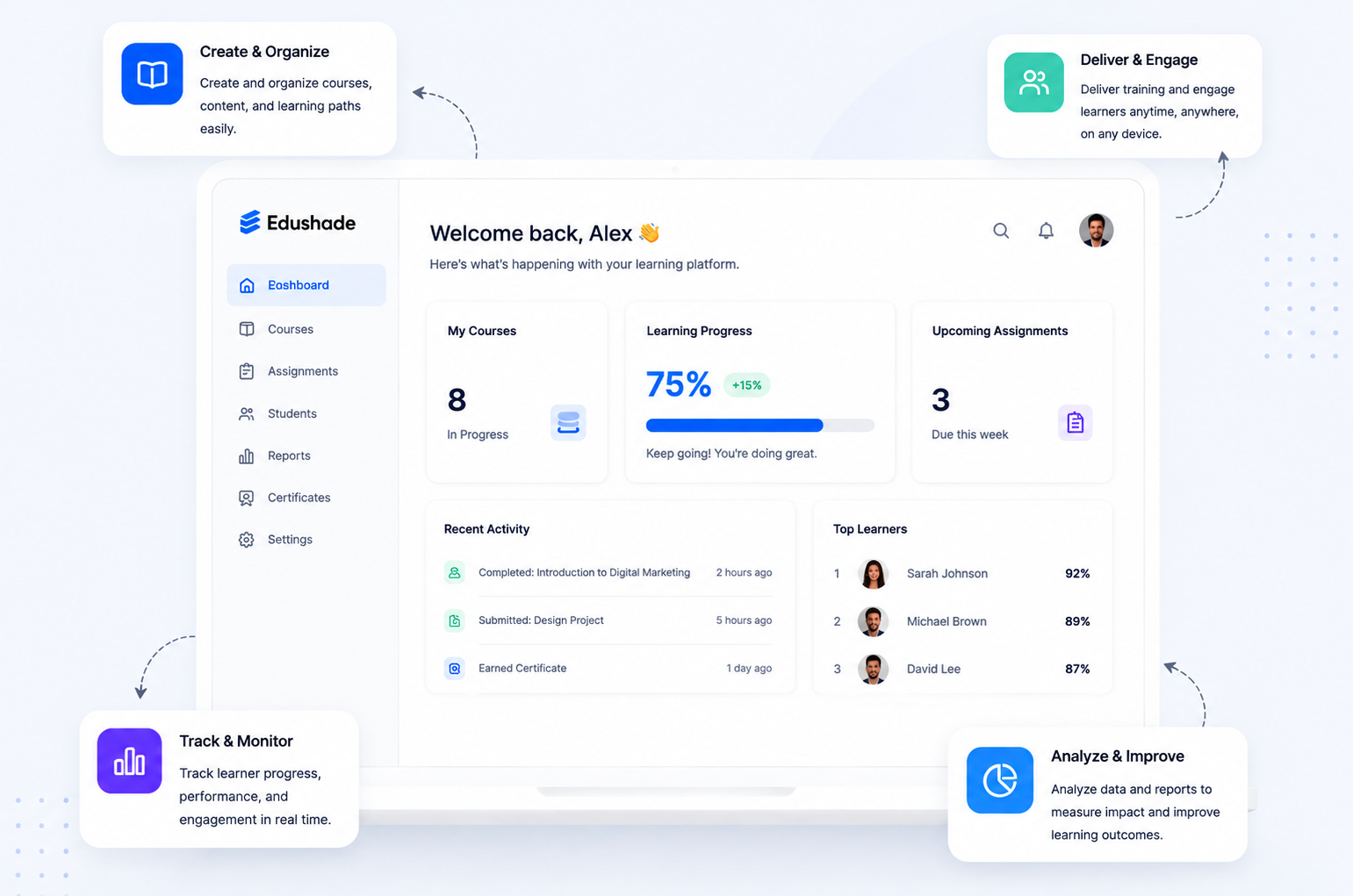
LMS stands for Learning Management System, software that helps organisations create, deliver, organise and track education or training. It connects learners, instructors, course content, assessments and progress data in one place. The right LMS is not simply the one with the most features; it is the platform that fits how your organisation actually teaches.
What Does LMS Mean in Education?
In education, LMS means Learning Management System. It is a digital platform that schools, universities, tutors, coaches, course creators and training businesses use to manage structured learning.
Each part of the name describes its purpose:
- Learning refers to the courses, knowledge or skills being delivered.
- Management covers users, enrolments, schedules, activities and results.
- System refers to the software connecting those elements.
The term can have another meaning outside education. In some social media posts, LMS means “Like My Status.” In teaching, professional development or workplace training, however, it almost always refers to a Learning Management System.
What Is a Learning Management System?
A Learning Management System is software that manages the full learning process, not just the course files. It brings content, people, activities, communication and records into one organised environment.
An administrator may use an LMS to create accounts, control access and review reports. An instructor may build lessons, schedule classes and assess work. A learner may watch a video, submit an assignment and check progress from the same platform.
A shared drive can store documents, but it does not normally manage structured learning. An LMS adds enrolment, user roles, lesson sequences, assessments, feedback, completion rules and reporting.
That distinction matters. A system becomes useful when an organisation needs to know not only what content was shared, but also who received it, what they completed and how they performed.
How Does an LMS Work?
An LMS works by guiding learners through a connected sequence: course creation, enrolment, delivery, assessment and reporting. Each stage produces information that supports the next.
1. Courses and Learning Content Are Created
An instructor begins by creating a course or importing existing material. The course may contain text lessons, videos, files, live sessions, quizzes, assignments or external resources.
Content is usually arranged into sections, modules or learning paths. This structure helps learners understand what to complete, in what order and under which requirements.
2. Learners Receive Access
Learners may enrol themselves, receive an invitation or be added by an administrator. Access can be immediate, restricted to a group or released according to a schedule.
Some organisations use open enrolment for public courses. Others use private cohorts, membership plans, prerequisites or approval rules to control who can join.
3. Learning Is Delivered
Learners sign in to access their assigned courses. They may study independently, join scheduled classes or follow a blended programme that combines live teaching with self-paced work.
The LMS keeps lessons, instructions, deadlines and learning resources in one place. This reduces the need to search through separate email threads, folders and messaging tools.
4. Understanding Is Assessed
Instructors can use quizzes, assignments, examinations or practical tasks to check what learners understand. Some activities may be graded automatically, while others require manual review and feedback.
Assessment records help learners see how they are doing. They also help instructors identify difficult topics, incomplete work and people who may need additional support.
5. Progress Is Recorded
The platform records information such as lesson completion, grades, attendance, time spent or certificate eligibility. The exact data available depends on the LMS and its configuration.
Reports can then help administrators and instructors review individual progress, course performance and programme completion.
Who Uses an LMS?
An LMS normally connects several user roles, each with different permissions and responsibilities.
| LMS user | Typical responsibilities |
|---|---|
| Administrator | Configures the platform, users, access rules and reports |
| Instructor | Creates courses, delivers teaching and assesses work |
| Learner | Accesses lessons, completes activities and reviews progress |
| Manager or client | Reviews participation, completion or training outcomes |
The platform should make each role easier to perform. A powerful administrator dashboard does not compensate for a confusing learner experience, and a polished course page does not replace reliable reporting.
What Is an LMS Used For?
An LMS is used whenever education or training needs structure, consistency and measurable progress. The same core system can support very different teaching models.
| Audience | Common LMS use |
|---|---|
| Tutors | Share lessons, manage homework and give feedback |
| Course creators | Build and sell self-paced or blended courses |
| Coaches | Organise resources, group programmes and appointments |
| Academies | Manage several courses, cohorts and instructors |
| Schools | Coordinate lessons, assignments, grades and communication |
| Universities | Deliver modules, assessments and online programmes |
| Training businesses | Run professional, client or partner training |
| Employers | Manage onboarding, compliance and skills development |
Can an LMS Support Different Learning Formats?
Yes. An LMS can support asynchronous, synchronous or blended learning, although the exact functions differ between products.
Asynchronous learning lets learners complete lessons on their own schedule. Synchronous learning brings instructors and learners together at a set time. Blended learning combines scheduled teaching with independent study.
Edushade’s official knowledge base, for example, documents courses containing lessons, quizzes, assignments, files and live sessions. It also explains how learning paths combine several courses and how cohorts run scheduled groups with start dates and live-class times.
What Are the Main Benefits of an LMS?
The main benefit of an LMS is coordination. It gives an organisation a clearer way to manage learners, teaching activities and records without spreading the process across unrelated tools.
Centralised Learning Management
An LMS gives learners and instructors one recognised source for course information. When a lesson, deadline or resource changes, the update can be made centrally rather than distributed through multiple channels.
Centralisation also makes administration easier. Enrolment, access, course activity and assessment records can be connected to the same learner account.
Flexible Course Delivery
An LMS can make courses available across locations and schedules. This is useful for remote learners, international groups, working professionals and organisations that combine classroom teaching with online material.
Flexibility does not mean every programme should become fully self-paced. It means the platform can support the delivery format that best suits the learning outcome.
More Consistent Learning Experiences
A structured course helps ensure that each learner receives the intended materials, instructions and assessment criteria. Instructors can still personalise feedback without changing the core learning requirements.
Consistency is particularly valuable when several instructors teach the same course or when a programme runs repeatedly for different cohorts.
Clearer Progress Tracking
Progress tracking helps instructors see which activities have been started, completed or missed. It can also show grades, completion percentages and other indicators defined by the organisation.
Edushade documents progress tracking across lessons, quizzes and assignments, together with completion rules, weighted grading, marksheets and learning-time records. These functions illustrate how an LMS can connect activity data with course outcomes.
Less Repetitive Administration
An LMS may reduce manual work by managing routine processes such as enrolment, scheduled content, reminders, completion records and certificates.
The actual benefit depends on the organisation’s setup. A poorly configured platform can add extra steps, so workflows should be tested before assuming that automation will save time.
Room to Grow
A well-chosen LMS can support additional learners, courses, instructors or programmes without requiring the organisation to rebuild its entire learning operation.
Scalability still needs verification. Buyers should check user limits, storage, performance, support capacity and pricing at their expected future size.
What Are the Limitations of an LMS?
An LMS cannot replace strong teaching, useful content or responsive support. It provides structure and tools, but the quality of the learning experience still depends on course design and delivery.
Implementation may require content migration, account setup, integrations and staff training. Self-hosted software can require substantial technical expertise, while a cloud-based LMS creates greater dependence on the provider.
User adoption is another common challenge. If everyday tasks are difficult, instructors may return to familiar tools and learners may disengage. A platform should therefore be tested by the people who will actually use it.
Cost can also extend beyond the advertised subscription. Migration, storage, support, training, customisation and third-party integrations may all affect the total investment.
What Are the Different Types of LMS?
Learning Management Systems can be classified by deployment, licensing and intended audience. These categories overlap rather than forming one simple list.
Cloud-Based LMS vs Self-Hosted LMS
| LMS type | How it works | Main consideration |
|---|---|---|
| Cloud-based or SaaS LMS | The provider hosts and maintains the software | Review subscriptions, data location and provider dependency |
| Self-hosted LMS | The organisation hosts the software | Requires infrastructure, maintenance and technical expertise |
A cloud-based LMS is usually quicker to deploy because the provider manages the underlying infrastructure. Updates, backups and security responsibilities may also be included, although buyers should verify the service terms.
A self-hosted LMS offers more direct infrastructure control. That control comes with responsibility for hosting, maintenance, performance, upgrades, backups and security.
Open-Source LMS vs Commercial LMS
An open-source LMS gives users access to the software’s source code. This can provide more scope for custom development, but it does not remove the costs of hosting, maintenance or specialist support.
A commercial LMS is sold through a licence or subscription. It may include hosting, updates, documentation and customer support, but the exact package varies between providers.
Academic, Corporate and Creator-Focused LMS Platforms
An academic LMS often centres on courses, terms, grades and institutional roles. A corporate LMS may emphasise onboarding, compliance and workforce development.
A creator-focused LMS may place greater emphasis on course sales, branding, communities and direct relationships with learners. Academies and training businesses may need a mixture of these capabilities.
The best category is the one that reflects the real operating model. A university delivering professional short courses may have different needs from a school running a fixed academic timetable.
LMS vs Other Learning and Content Systems
An LMS is different from related systems because it manages structured learning and learner activity. Other tools may create content, manage institutional data or host live sessions without tracking the full learning journey.
| System | Main purpose | How it differs from an LMS |
|---|---|---|
| CMS | Publishes general website content | Does not normally manage enrolment or learning progress |
| LCMS | Creates and reuses learning content | Focuses more heavily on content production |
| VLE | Supports a digital teaching environment | Often overlaps with academic LMS functions |
| SIS | Manages student and institutional records | Focuses on administration rather than course delivery |
| Webinar platform | Hosts live online sessions | Usually lacks full course and progress management |
| Course marketplace | Connects course buyers and sellers | Marketplace controls discovery and transactions |
What Is the Difference Between an LMS and an Online Learning Platform?
An online learning platform is a broad category. It can describe an LMS, tutoring application, course marketplace, video library or virtual classroom.
A Learning Management System is more specific. It normally manages users, enrolment, structured courses, learning activities, assessment and progress records.
Which LMS Features Matter Most?
The most important LMS features are the ones required by the organisation’s actual workflow. A long feature list is not useful when essential tasks remain difficult.
Essential LMS Features
Most organisations should assess:
- Course creation or content importing
- Learner enrolment and access controls
- Administrator, instructor and learner roles
- Assignments, quizzes or examinations
- Progress and completion tracking
- Grades, reports and learning analytics
- Announcements and notifications
- Mobile-responsive access
- Data export
- Documentation and support
Features That Depend on the Use Case
Some organisations may also need:
- Live classes and recorded sessions
- Cohort-based learning
- Learning paths and prerequisites
- Certificates
- Community discussions
- Coaching or appointment bookings
- Payments and subscriptions
- White-label branding
- Multiple instructors or organisations
- Third-party integrations
Why Do Accessibility and Integrations Matter?
Accessibility matters because learners must be able to perceive, understand and operate the course experience. The World Wide Web Consortium’s WCAG 2.2 standard explains how web content can be made more accessible to people with disabilities.
Integrations matter when an LMS must connect with video, identity, content or institutional systems. The 1EdTech Learning Tools Interoperability standard provides a defined way for learning tools to connect with an institution’s learning environment.
Support for a standard should never be assumed from a general integration claim. Buyers should verify the exact version, functions, certification and data exchanged.
How to Choose a Learning Management System
Choose an LMS by testing its fit with your teaching model, users and daily tasks. Product popularity matters less than whether people can complete essential work without unnecessary complexity.
1. Define How Learning Will Be Delivered
Start with the teaching model. Decide whether courses are self-paced, live, cohort-based, blended, one-to-one or institution-led.
Document how learners join, how content is released, how instructors interact with learners and what must happen before a course is complete.
2. Identify Every User Role
List everyone who will use the LMS, including learners, instructors, teaching assistants, administrators, managers, clients and guardians where relevant.
Define what each role needs to view, edit, approve or report. This makes permission requirements easier to evaluate during a demonstration.
3. Separate Essential Features from Optional Extras
Create a must-have list before comparing LMS software. This prevents attractive but unnecessary features from distracting the team from core requirements.
For example, a course creator may need payments and branded pages, while a university may prioritise institutional integrations, accessibility and complex user roles.
4. Test Real Tasks
A useful LMS trial should include realistic work. Ask someone to create a lesson, enrol a learner, submit an assignment, grade it and produce a progress report.
Real tasks reveal confusing navigation and missing steps that may not be visible in a product tour.
5. Check Privacy, Security and Accessibility
Review authentication, user permissions, backups, data export, data location and incident procedures. Ask who owns the data and what happens to it when the contract ends.
In the United States, the Family Educational Rights and Privacy Act gives parents and eligible students specified rights concerning education records. The European Union’s General Data Protection Regulation governs how personal data may be processed and transferred. Applicability should be assessed with qualified advisers.
6. Calculate the Total Cost
Compare more than the monthly or annual subscription. Total LMS cost may include implementation, migration, storage, support, staff training, integrations and custom development.
Calculate the expected cost at today’s learner count and at the organisation’s likely future size.
7. Review Support and Data Portability
Ask when support is available, which channels are offered and how complex problems are escalated. Examine the knowledge base before buying, because clear documentation often reflects the quality of the product’s everyday support.
Confirm that users, courses, grades and other essential records can be exported in practical formats. Data portability reduces risk if the organisation changes systems later.
LMS Selection Checklist
- Does the LMS fit our actual teaching model?
- Can each user role complete its main tasks?
- Are all essential features included in the quoted plan?
- Can our existing content be transferred?
- Does the LMS connect with required external tools?
- Are accessibility and privacy requirements documented?
- Can we export learner, course and assessment data?
- Is the total cost clear at our expected scale?
- Can support respond within an acceptable timeframe?
Choose an LMS That Fits How You Teach
An LMS should connect people, course content and evidence of learning without forcing educators into an unsuitable process. Define the teaching model first, prioritise essential workflows and test the platform with real users before making a decision.
Edushade is one relevant example for organisations that need courses, learning paths, cohorts, live sessions, assessments and progress management in one system. You can explore the Edushade learning management platform and review its practical guide to courses, learning paths and cohorts.
Once your requirements are clear, assess them against a working product rather than a feature list alone. A personalised Edushade LMS demonstration can help your team test how the platform fits its learners, instructors and operating model.