
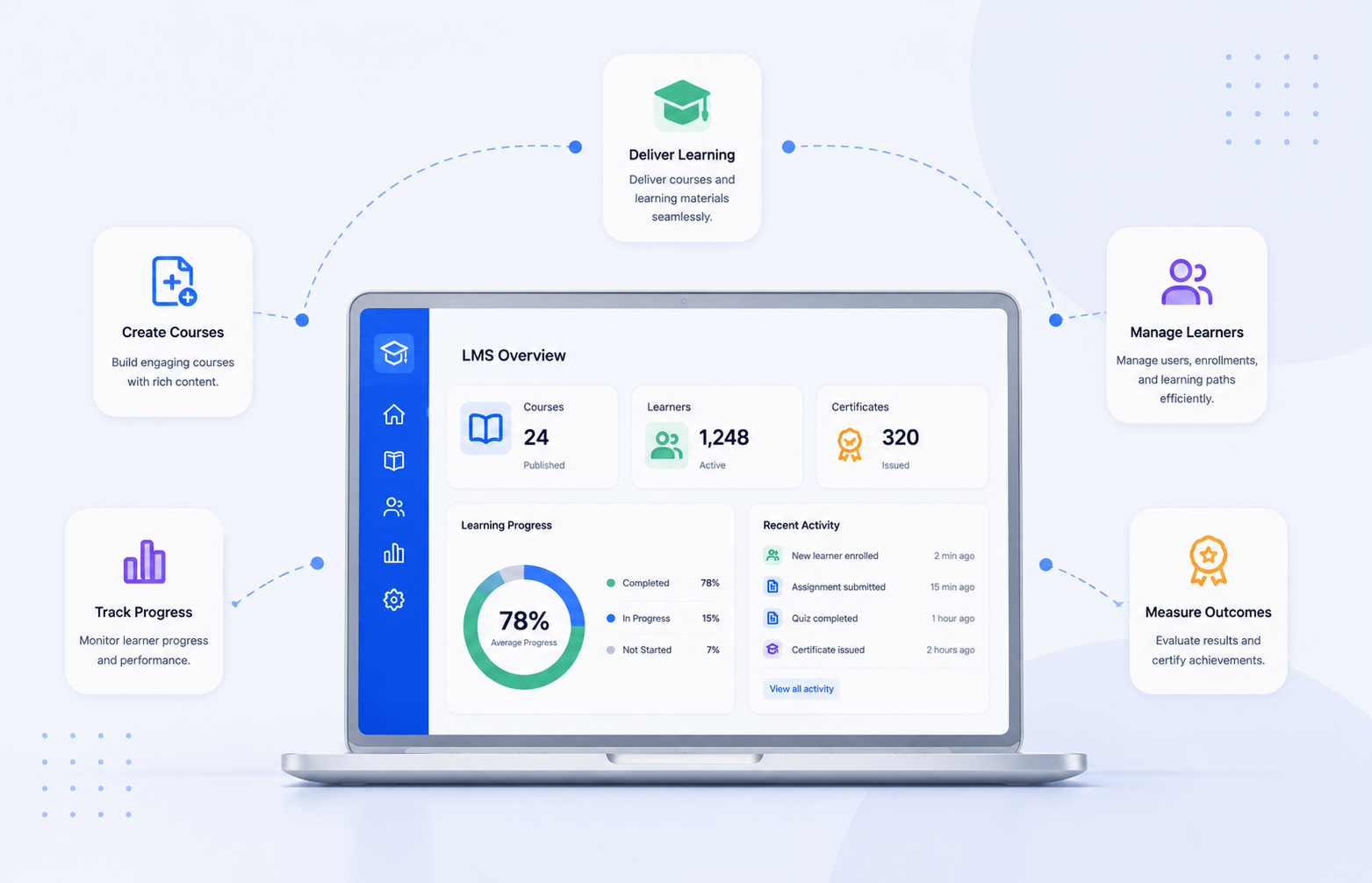
A learning management system (LMS) is software used to create, deliver, manage, and track online learning. The main types of learning management systems include cloud-based LMS, open-source LMS, academic LMS, corporate LMS, and course creator LMS. The right LMS depends on your learners, teaching model, customization needs, budget, and long-term goals.
What Is a Learning Management System (LMS)?
A learning management system is a digital platform that helps organizations create courses, deliver learning materials, manage users, track progress, and measure learning outcomes.
LMS platforms are used by schools, universities, businesses, tutors, coaches, and training providers to organize education and professional development in one place.
A modern LMS usually includes tools for:
- Course creation and content management
- Student or employee enrollment
- Online assessments and quizzes
- Progress tracking
- Certificates
- Learning analytics
- Communication between instructors and learners
The best LMS is not always the platform with the most features. It is the one that matches your audience, learning goals, technical resources, and workflow.
What Are the Different Types of Learning Management Systems?
The main types of learning management systems are based on their purpose, users, and deployment method.
| LMS Type | Best For | Primary Use |
|---|---|---|
| Cloud-Based LMS | Schools, businesses, educators | Simple online learning management |
| Open-Source LMS | Organizations needing customization | Flexible LMS development |
| Academic LMS | Schools and universities | Classroom and student management |
| Corporate LMS | Companies and training teams | Employee learning and compliance |
| Course Creator LMS | Tutors, coaches, creators | Online course delivery and sales |
Each LMS category solves different problems. A university, a corporate training department, and an online course creator may all need an LMS, but their requirements will not be the same.
Cloud-Based LMS: A Flexible Choice for Online Learning
A cloud-based LMS is a platform hosted by a service provider and accessed through the internet. The provider manages hosting, maintenance, and software updates.
Cloud LMS platforms are popular because they reduce technical workload and allow organizations to start delivering courses quickly.
What Are the Advantages of Cloud LMS Platforms?
A cloud-based LMS offers:
- Faster implementation
- Lower maintenance requirements
- Access from different devices and locations
- Easier user management
- Automatic updates from the provider
This LMS type works well for organizations that want to focus on teaching and training instead of managing infrastructure.
What Are the Limitations of Cloud-Based LMS?
Cloud LMS platforms may provide fewer customization options compared with self-hosted solutions. Organizations with advanced technical requirements, complex integrations, or specific data control needs should review platform capabilities before choosing a solution.
Open-Source LMS: Best for Customization and Control
An open-source LMS allows organizations to access and modify the platform's source code. This gives technical teams more flexibility to customize features, integrations, and workflows.
Popular open-source LMS examples include Moodle, which is widely used by educational institutions and organizations.
Why Do Organizations Choose Open-Source LMS Platforms?
Open-source LMS solutions are useful for organizations that need:
- Custom learning workflows
- Greater control over platform changes
- Flexible integrations
- Advanced customization options
Universities, large organizations, and technical teams often consider open-source LMS platforms when standard solutions do not meet their requirements.
What Are the Challenges of Open-Source LMS?
Open-source LMS platforms usually require more technical involvement. Organizations may need support for:
- Installation
- Hosting
- Security updates
- Custom development
- System maintenance
For teams without technical resources, a managed LMS solution may be easier to operate.
Academic LMS: Designed for Schools and Universities
An academic LMS is built for educational institutions that manage structured learning programs.
Schools, colleges, and universities use academic LMS platforms to support teachers, students, administrators, and online learning activities.
What Features Does an Academic LMS Include?
Common academic LMS features include:
- Course organization
- Assignment management
- Online exams
- Student progress tracking
- Teacher communication
- Learning resources
Examples of academic LMS platforms include Canvas LMS, Blackboard, Moodle, and Google Classroom.
Who Should Use an Academic LMS?
An academic LMS is suitable for institutions that need classroom support, student administration, and teacher-led learning management.
Before selecting an academic LMS, institutions should evaluate:
- Ease of use for teachers and students
- Accessibility features
- Integration with existing education systems
- Reporting capabilities
Corporate LMS: Built for Employee Training
A corporate LMS is designed for businesses that provide employee training, onboarding, professional development, or compliance education.
Companies use corporate learning management systems to organize training programs and monitor employee progress.
What Features Should a Corporate LMS Have?
Important corporate LMS features include:
- Employee learning paths
- Training reports
- Certification tracking
- Course management
- Progress monitoring
- Business system integrations
A corporate LMS helps organizations create consistent training experiences across teams and locations.
Corporate LMS vs Academic LMS
| Feature | Corporate LMS | Academic LMS |
|---|---|---|
| Main Users | Employees and professionals | Students and teachers |
| Primary Goal | Skills development and workplace training | Education delivery |
| Reporting Focus | Business performance and compliance | Academic progress |
| Learning Style | Professional training | Subjects and courses |
The difference between corporate LMS and academic LMS comes down to the learner group and the organization's purpose.
Course Creator LMS: For Tutors, Coaches, and Online Educators
A course creator LMS is designed for people and businesses that build and deliver online courses.
This type of LMS helps educators organize lessons, manage learners, and create digital learning experiences.
What Does a Course Creator LMS Offer?
Common features include:
- Course creation tools
- Learner management
- Lesson organization
- Assessments
- Progress tracking
Tutors, coaches, and training businesses often choose course creator LMS platforms because they need tools designed around digital course delivery.
For organizations exploring digital learning workflows, Edushade provides solutions designed around structured online education needs. You can explore Edushade's learning platform and related resources to understand how LMS technology supports educators and training providers.
LMS Deployment Models: Cloud LMS vs Self-Hosted LMS
LMS deployment refers to how the software is hosted and managed.
| Deployment Type | How It Works | Suitable For |
|---|---|---|
| Cloud LMS | Hosted by a provider | Organizations wanting simple management |
| Self-Hosted LMS | Installed on private servers | Organizations needing more control |
| Open-Source LMS | Customizable source code | Teams with technical resources |
Choosing between cloud LMS and self-hosted LMS depends on your technical ability, customization needs, security requirements, and available resources.
How Do You Choose the Right Learning Management System?
Choosing the right LMS starts with understanding your learning goals. A platform designed for a university may not work well for a coaching business or employee training program.
1. Identify Your Learners
First, define who will use the LMS:
- Students
- Employees
- Customers
- Course buyers
- Professional learners
Your learner group determines the features you need.
2. Define Your Required Features
Important LMS features to evaluate include:
- Course creation
- Assessments
- Analytics
- Certificates
- Mobile access
- Integrations
- User management
3. Consider Growth and Scalability
Choose an LMS that supports your future needs. Consider learner numbers, content volume, instructor requirements, and reporting needs.
4. Evaluate User Experience
An LMS should be easy for both administrators and learners. A complicated interface often creates adoption problems.
Important LMS Features to Compare
The most useful LMS features depend on your organization's goals.
| Feature | Purpose |
|---|---|
| Course Builder | Creates and organizes lessons |
| Assessment Tools | Measures learner knowledge |
| Analytics | Tracks learning progress |
| Certificates | Recognizes completion |
| Mobile Access | Supports flexible learning |
| Integrations | Connects other tools and systems |
A strong LMS balances functionality with usability. More features do not always create a better learning experience.
Which Type of LMS Is Best for Your Organization?
The best LMS type depends on your specific needs.
Choose a cloud-based LMS if you want easier setup and less technical management.
Choose an open-source LMS if customization and control are your priorities.
Choose an academic LMS if you manage students, teachers, and classroom learning.
Choose a corporate LMS if your goal is employee training and professional development.
Choose a course creator LMS if you create and sell online courses.
A clear understanding of your learners and business goals makes LMS selection easier and more effective.
Final Steps Before Choosing an LMS
Before selecting a learning management system, review your goals, users, budget, technical requirements, and required features.
Create a shortlist of LMS platforms, compare their capabilities, and test how well each option supports your learning workflow.
For educators, course creators, schools, and training businesses looking for a structured approach to digital learning, explore Edushade's LMS solutions and resources to understand how the right platform can support your online education goals.