
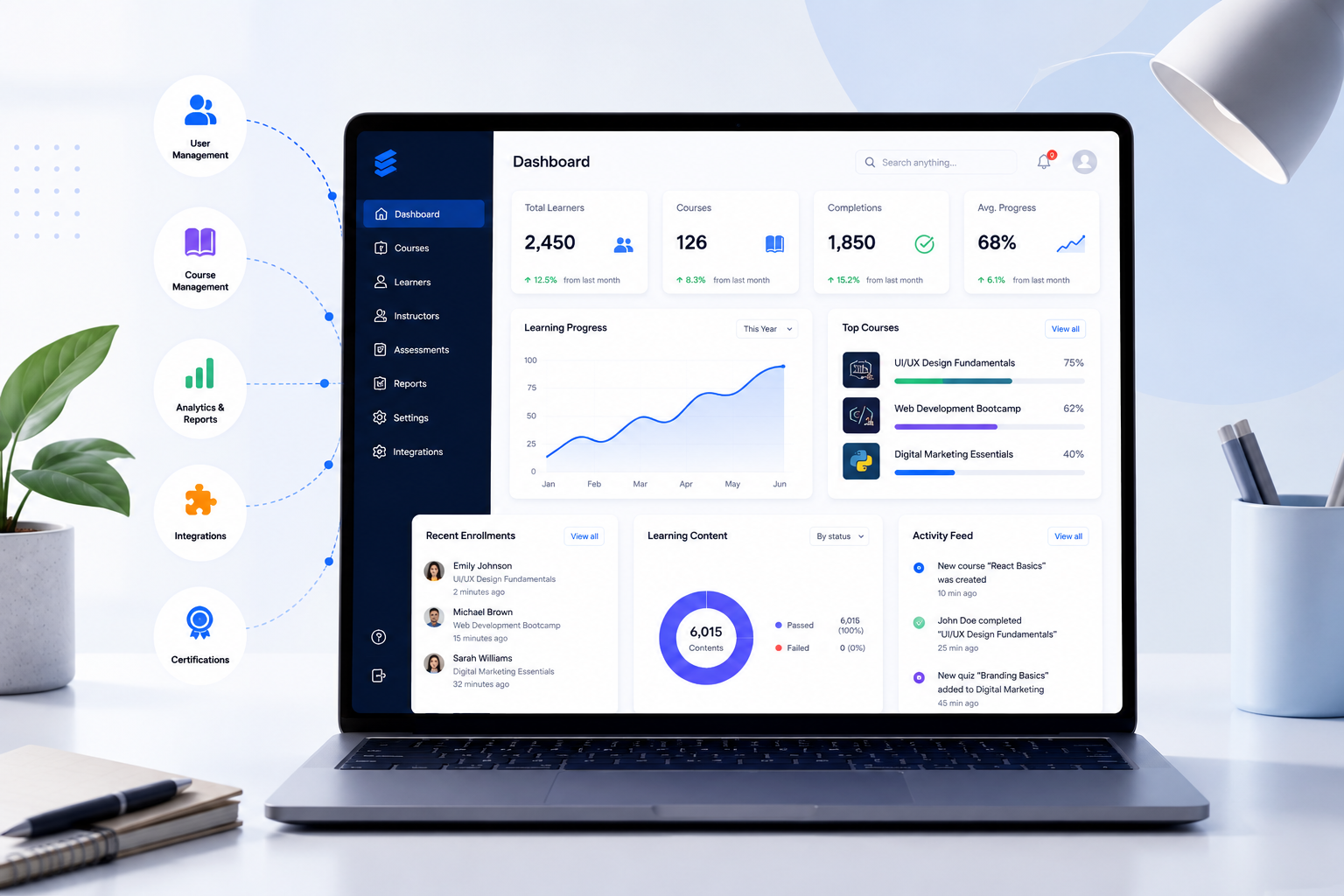
Choosing the right learning management system requires understanding your learners, goals, workflow, and future needs. A good LMS should simplify course management, support users, provide useful analytics, and integrate with your existing tools. This LMS buying guide explains the key factors schools, universities, businesses, tutors, and course creators should evaluate before investing.
What Is an LMS Buying Guide?
An LMS buying guide helps organizations evaluate and select a learning management system based on their specific requirements.
A learning management system (LMS) is software that allows organizations to create, deliver, manage, and track educational or training content. It connects instructors, learners, courses, assessments, and performance data in one centralized platform.
Choosing the best LMS is an important decision because the platform affects daily learning operations, user experience, administration, and long-term training goals.
A proper LMS evaluation should consider:
- Who will use the platform
- What type of learning you provide
- Which features are required
- How the LMS connects with existing systems
- How the platform supports future growth
Why Choosing the Right LMS Matters
The right LMS helps organizations create a more organized learning process and reduce unnecessary manual work.
A suitable platform allows educators and training teams to manage courses, learners, assessments, and reporting more efficiently. A poor LMS choice may lead to low adoption, difficult administration, limited flexibility, and unexpected costs.
For example, a university may need academic tools for students and instructors, while a business may need employee training workflows and reporting features.
The best LMS is not the platform with the largest feature list. It is the platform that fits your learning objectives.
How Do You Choose the Right LMS Platform?
The best way to choose an LMS is to define your requirements before comparing software providers.
Start by answering these questions:
- Who are your learners?
- What type of training or education will you deliver?
- How many users will access the platform?
- What reports do administrators need?
- Which tools should connect with the LMS?
A clear selection process helps organizations avoid choosing a platform based only on price, brand recognition, or unnecessary features.
Step 1: Identify Your LMS Users and Learning Goals
The first step in an LMS buying guide is understanding who will use the system.
Different organizations need different LMS capabilities.
LMS Requirements for Schools and Universities
Educational institutions often need an LMS that supports:
- Course management
- Student accounts
- Assignments
- Online assessments
- Teacher collaboration
- Learning progress reports
An academic LMS should make it easier for teachers to deliver lessons and for administrators to manage academic activities.
LMS Requirements for Businesses
Companies usually focus on employee learning and professional development.
A corporate LMS should support:
- Employee onboarding
- Compliance training
- Skill development
- Learning analytics
- Certification management
Businesses should evaluate how well the platform supports workforce training across teams and locations.
LMS Requirements for Course Creators and Coaches
Online educators need platforms that help them create and manage digital courses.
Important capabilities include:
- Course creation
- Lesson organization
- Learner management
- Progress tracking
- Assessment tools
A course creator LMS should make it easier to deliver structured learning experiences.
Step 2: Compare Essential LMS Features
What features should you look for when buying an LMS? The answer depends on your goals, but several features are important for most organizations.
| LMS Feature | Why It Matters |
|---|---|
| Course Builder | Creates and organizes learning content |
| Assessment Tools | Measures learner knowledge |
| Analytics and Reporting | Tracks progress and performance |
| User Management | Controls learner access |
| Integrations | Connects existing systems |
| Mobile Support | Allows learning across devices |
| Certificates | Recognizes completion |
A good LMS balances useful features with ease of use. Too many unnecessary tools may make the platform harder to manage.
Step 3: Evaluate LMS User Experience
Why is user experience important when selecting an LMS? Because instructors and learners need a platform they can use without unnecessary difficulty.
A complicated LMS may require more training and reduce adoption.
Review:
- Dashboard simplicity
- Course navigation
- Content upload process
- Learner experience
- Mobile usability
Ask teachers, trainers, administrators, and learners to test the platform before making a final decision. Each group may have different expectations.
Step 4: Review LMS Integrations and Compatibility
An LMS often works alongside other education or business systems.
Before choosing a platform, check whether it supports the tools your organization already uses.
Common LMS integrations include:
- Student information systems
- Human resource platforms
- Video conferencing tools
- Payment systems
- Communication tools
- Content libraries
For example, a university may need academic system integration, while an online course business may need payment and marketing connections.
Step 5: Check LMS Security and Accessibility
Security and accessibility should be part of every LMS evaluation process.
Organizations should review:
- User access controls
- Data protection practices
- Authentication options
- Backup processes
- Accessibility support
Accessibility standards such as Web Content Accessibility Guidelines (WCAG) provide guidance for creating digital experiences that are usable for people with different abilities.
Organizations should review official security documentation and accessibility requirements before selecting an LMS.
Step 6: Understand LMS Pricing and Total Cost
How much does an LMS cost? Pricing depends on factors such as users, features, deployment model, customization, and support requirements.
The total LMS cost may include:
- Subscription fees
- Setup expenses
- Custom development
- Training
- Content creation
- Maintenance
A lower-priced LMS may not provide the features or support required for long-term success.
Organizations should compare total value instead of looking only at the initial software price.
LMS Evaluation Checklist Before Buying
Use this checklist when comparing LMS platforms:
| Category | Questions to Ask |
|---|---|
| Users | Who will use the LMS? |
| Learning Goals | What outcomes should it support? |
| Features | Does it include required tools? |
| Integration | Does it connect with current systems? |
| Support | What assistance is available? |
| Scalability | Can it support future growth? |
| Security | How is user data protected? |
This evaluation framework helps teams compare LMS vendors more objectively.
Common LMS Buying Mistakes to Avoid
Choosing an LMS without proper evaluation may create problems later.
Selecting an LMS Based Only on Price
Price matters, but the cheapest option may not support your learning goals, integrations, or future needs.
Ignoring User Experience
An LMS should work well for administrators, instructors, and learners. A difficult interface may reduce engagement.
Not Planning for Growth
Consider future users, courses, instructors, and reporting requirements before selecting a platform.
Overlooking Integrations
A platform that does not connect with your existing tools may increase manual work.
Skipping Product Testing
A demo or trial helps organizations understand how the LMS works before purchase.
Cloud LMS vs Open-Source LMS: Which One Is Better?
The right LMS deployment model depends on your technical resources, customization needs, and management preferences.
| LMS Type | Best For | Main Benefit |
|---|---|---|
| Cloud LMS | Organizations wanting simple management | Easier setup and maintenance |
| Open-Source LMS | Teams needing customization | More control and flexibility |
| Self-Hosted LMS | Organizations managing infrastructure | Greater control over environment |
A cloud LMS is often suitable for organizations that want faster implementation. Open-source LMS platforms may work better for teams that need advanced customization.
LMS Buying Guide for Different Organizations
How Should Schools Choose an LMS?
Schools should prioritize:
- Student management
- Teacher-friendly tools
- Assessment features
- Accessibility
- Reporting
The best LMS for schools should support teaching activities while reducing administrative workload.
How Should Businesses Choose an LMS?
Businesses should evaluate:
- Employee training workflows
- Reporting capabilities
- Compliance management
- Integrations
- Scalability
A corporate LMS should support measurable employee development and consistent training delivery.
How Should Course Creators Choose an LMS?
Course creators should focus on:
- Easy course publishing
- Learner management
- Content organization
- Progress tracking
- Engagement features
The right LMS helps educators build structured online learning experiences.
Questions to Ask an LMS Vendor
Before purchasing LMS software, ask vendors:
- What features are included?
- How does pricing change as users grow?
- Which integrations are supported?
- What security features are available?
- What customer support options exist?
- How often is the platform updated?
These questions help organizations understand the platform beyond promotional materials.
Choosing an LMS That Supports Long-Term Goals
A successful LMS purchase starts with understanding your learning needs.
The right platform should support your users, simplify management, provide useful insights, and adapt as your organization grows.
Review your goals, compare LMS features, test usability, and evaluate long-term costs before making a decision.
Edushade helps educators, training providers, and organizations explore structured digital learning solutions. Explore Edushade's LMS resources and platform options to understand how a suitable learning system can support your education or training workflow.